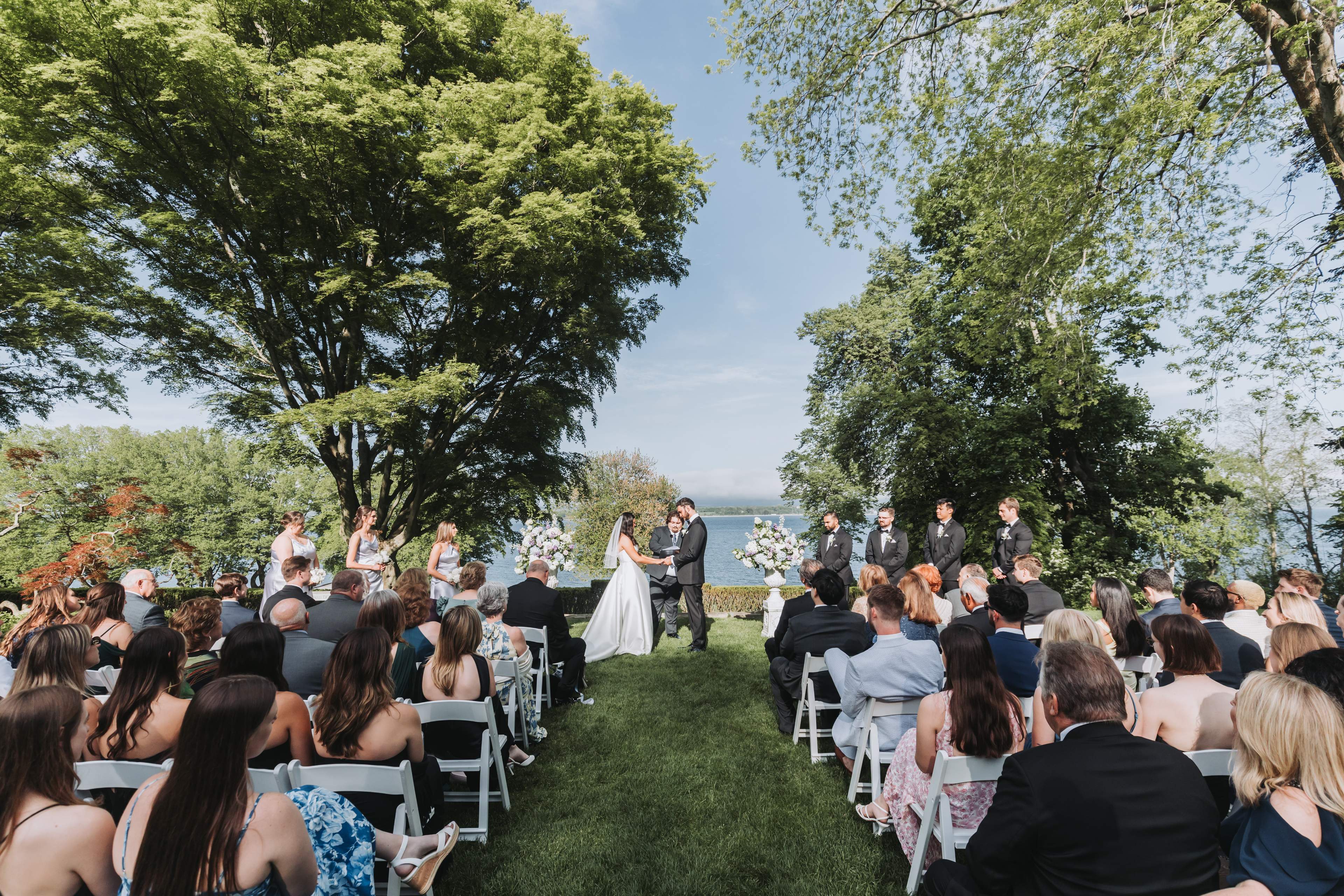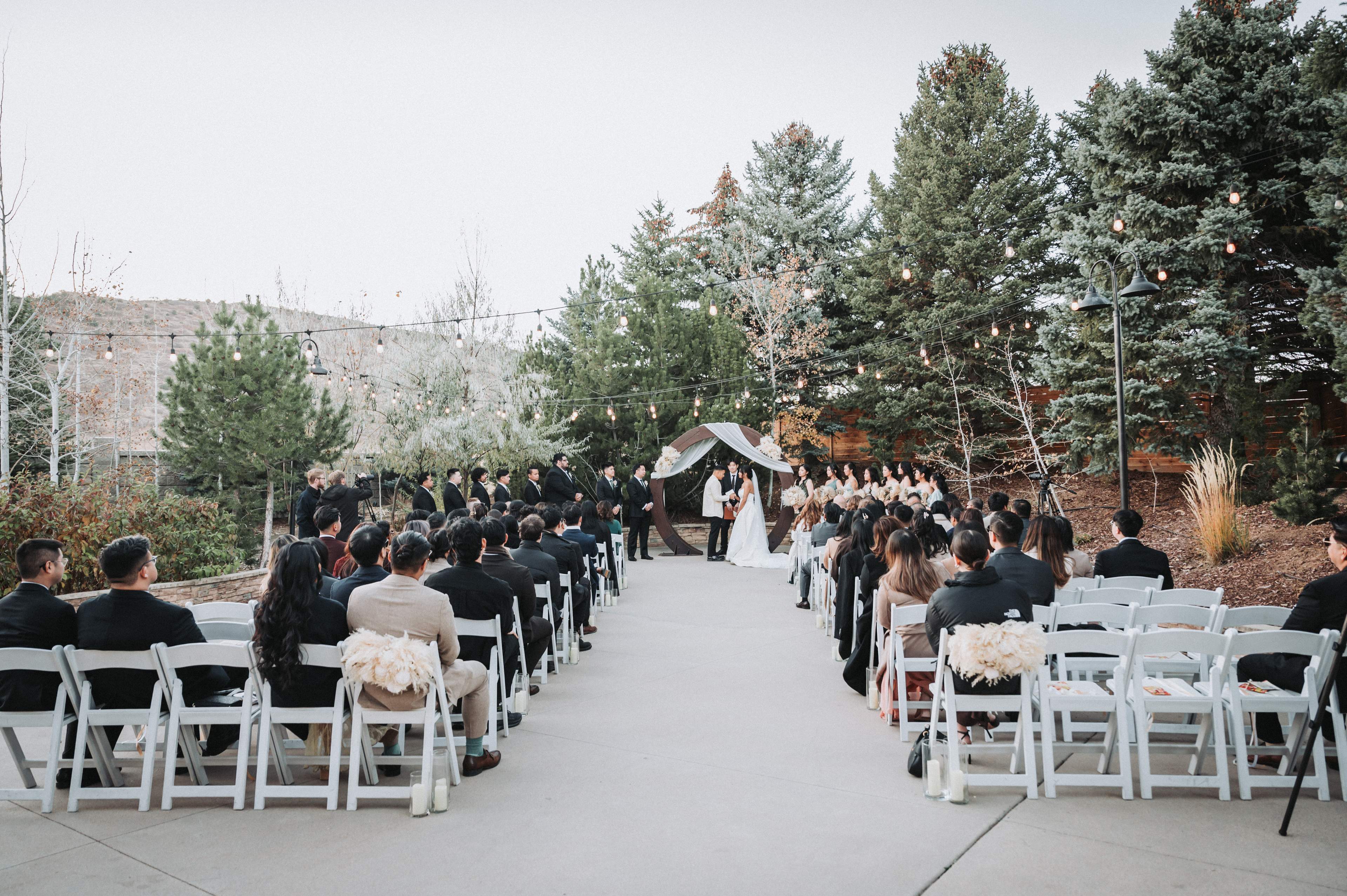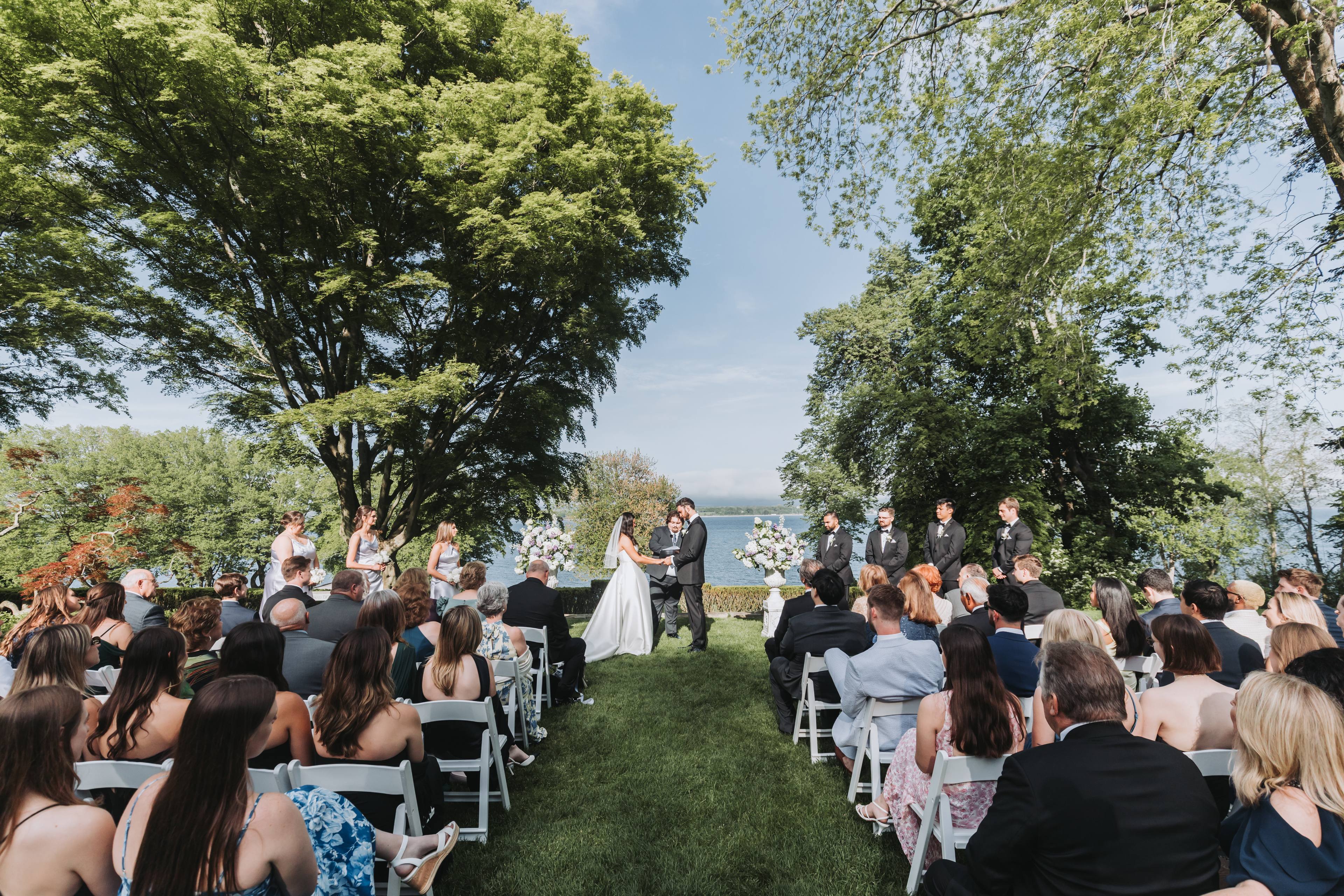
Put the camera at the back of the ceremony, a step off the aisle rather than in it, on a full-height tripod so it can see over guests when they stand, framed wide enough for the whole wedding party with room to spare. Press record before the guests stand for the processional, check that it is recording, and leave it alone until the recessional is over. The angle matters less than what can stop a camera that nobody is watching: a camera that switches itself off while it waits, a screen someone folds shut, a view that vanishes behind standing guests.
Our bias, stated up front
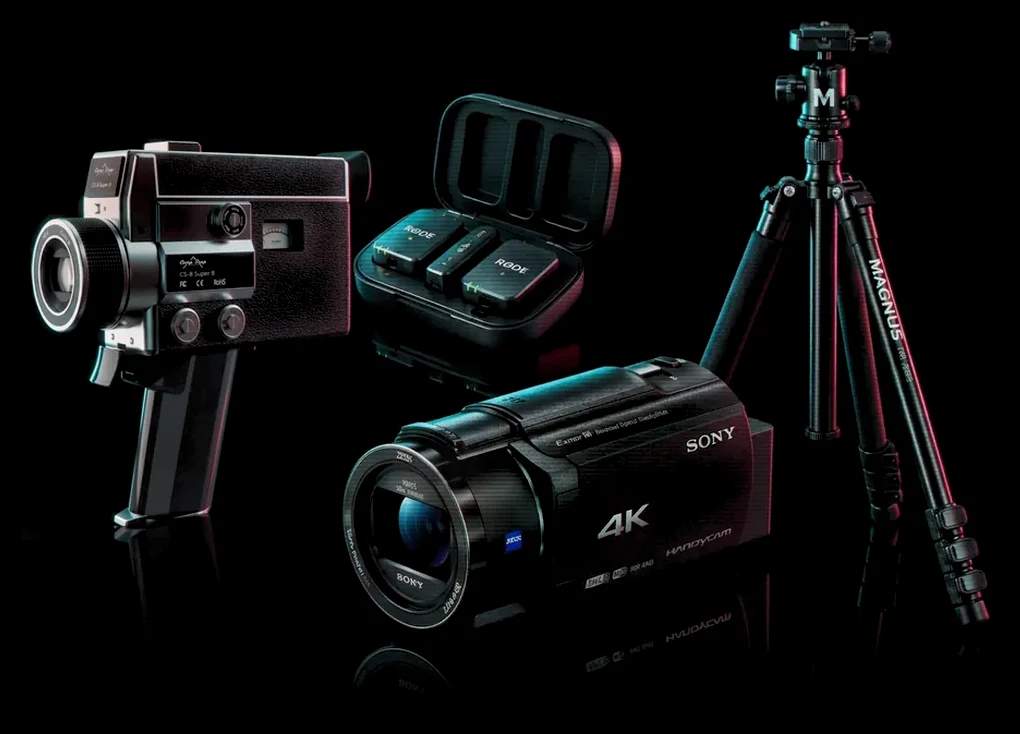
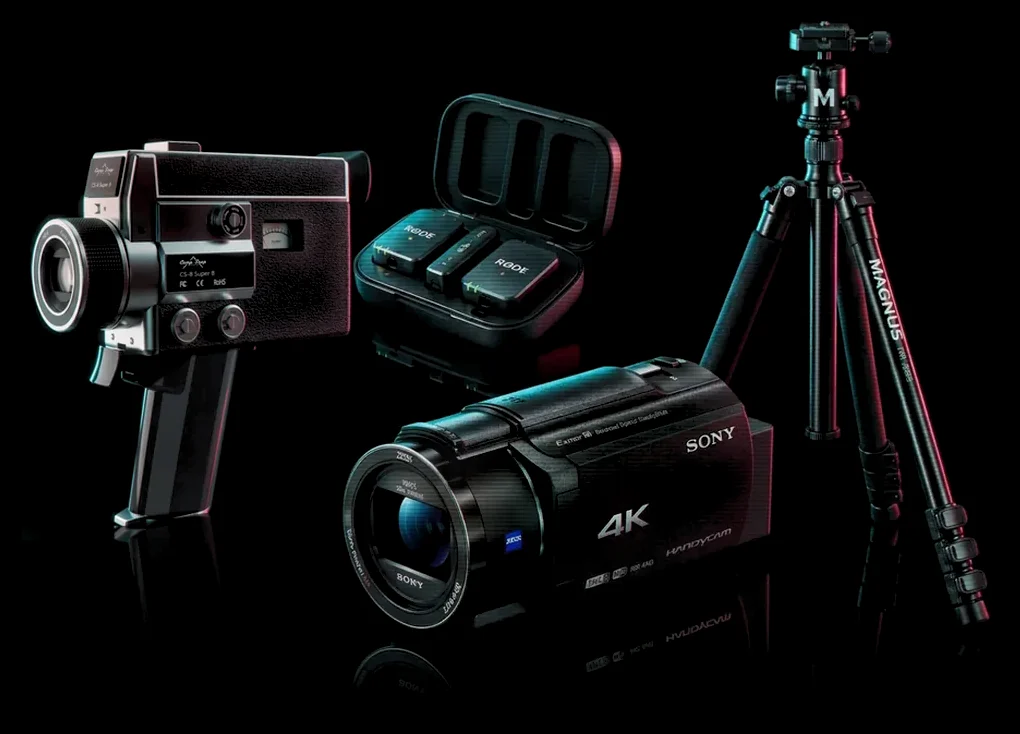
We rent the camera and the tripod. The Double sends two Sony 4K Handycams so that one can stand on a tripod for the ceremony while the other moves, and our editors cut both. This guide works for any camera on a tripod, a phone included. The camera facts are from Sony's Help Guide for the FDR-AX43A, the Handycam in our Kit, as we read it on November 10, 2026, and we use Sony's names for its settings. If yours is a different camera, look up the same four things in its own manual.
The detail most guides miss: nobody is watching this camera
Most advice on ceremony camera placement is written for videographers, who stand beside the tripod. At your wedding, nobody will. The camera is framed early, someone presses record, and then every eye in the room is on the two of you. So the question is not only where it stands. It is what can stop it while nobody is looking. On the Sony Handycam in our kits, Sony's own guide names four things:
- It switches itself off while it waits. On the default Power Save setting, running on battery, the camera turns off after about two minutes of nobody touching it. A tripod camera framed fifteen minutes before the processional is off when the music starts. Set Power Save to Off for this camera (Setup, General Settings, Power Save). On Off, Sony says, the screen stays bright and the camera never turns itself off, so put in a fresh battery just before.
- Someone folds the screen shut. A bright screen at the back of a quiet ceremony is tempting to close. On this camera, closing the screen turns it off, and Sony's guide says that closing it while recording stops the recording. Tell whoever sits beside it that the screen stays open.
- The battery. Sony rates the NP-FV70A at about 160 minutes of 4K recording at room temperature, and cold shortens any battery. A fresh one covers a long ceremony with time to spare. One already half used on the getting-ready footage might not.
- The second press. The record button is a toggle. Press once, then look for REC on the screen. A second press "to be sure" stops it.
Once it is recording, length is not the problem. Sony puts the longest single recording at about 13 hours, and a 256GB card holds about 8 hours of 4K at 60Mbps. One more line from Sony's guide: constant vibration can stop a recording, so keep the tripod off speaker stands and anything else that shakes.
Where to put it
| Choice | What to do, and why |
|---|---|
| Where | At the back, a step off the aisle. In the aisle it is in the way of the processional; a step to the side, it is not. |
| Which side | Opposite the face you most want. From the left side you see the partner standing on the right, and the other way round. A second camera can cover the other face. |
| How high | Above the heads of standing guests. In many ceremonies everyone stands for the processional, and at seated-head height that moment is a wall of backs. |
| How wide | The whole wedding party, with a little room on each side. People shift and edge inward during a ceremony, and a tight frame loses them. |
| Level | Turn on Grid Line (Camera/Mic, Shooting Assist) and line it up with the horizon. Sony notes the lines are not recorded. |
| Zoom | Set it once and leave it. Every change during the ceremony is a jump in the footage. |
What it looks like in a real film
The film below was shot on two of our Handycams and a tall tripod, by the couple's own people. Watch just after the two-minute mark: as the guests rise, a camera behind them sees nothing but backs, and the edit moves to the other camera. Through the vows, one camera holds the whole arbor, wide and still, while the other is close and handheld as they read from their cards. That is the job split this guide is about.
Who presses record
Choose one person who is not in the processional and will sit at the back, beside the camera. Their whole job is three things: press record before the guests stand, check for REC, and keep the screen open and the tripod clear of elbows until you have walked back up the aisle. After that the camera can come off the tripod and go to the cocktail hour. In our kits, it is a good first job for the person our guide to getting guests to use the wedding camcorder calls the captain.
What the tripod camera cannot do
Hear the vows
A camera at the back of a ceremony hears the guests nearest to it far better than two people speaking quietly at the front. A clip-on microphone near the two of you fixes that. Our mic kit has two clip-on mics that record to a phone, and our editors lay that close sound under the picture. Our guide to wedding ceremony audio covers where to clip them.
See faces up close
One fixed angle shows the shape of the ceremony: who stood where, the walk in, the kiss, the walk out. The tears and the hands are the second camera's job, held by someone near the front, to one side.
Follow a change of plan
If the ceremony moves, to a different spot or indoors for rain, the tripod has to move with it, so make sure the person beside it knows that is part of the job.
If you have one camera, not two
Then choose. A camera on a tripod gives you the whole ceremony, safely, from one angle. A person holding it gives you faces and risks the rest. If the ceremony matters most, put the one camera on the tripod and ask someone near the front to film the faces on a phone. Our guide to asking a friend to film your wedding covers how to split that work so neither half needs skill.
Where The Kit fits
The Double is $989: two Sony 4K Handycams, one for the tripod and one for the faces, with our mic kit of two clip-on microphones included. The tall tripod is $30. The Everything is $1,399 and includes the tall tripod. With The Single, $729, the one camera can start on the tripod and come off it after the recessional.
Common questions
Where should a camera go to film a wedding ceremony?
At the back, a step off the aisle, on a full-height tripod, framed wide enough for the whole wedding party. Off the aisle it stays out of the processional's way, high it sees over guests when they stand, and wide it keeps everyone in frame as people move.
How high should a tripod be for a wedding ceremony?
High enough to see over standing guests. In many ceremonies the guests stand as the processional comes in, and a camera at the height of seated heads loses the walk down the aisle, the moment you most want from that angle.
Can one camera on a tripod film a whole wedding ceremony?
Yes. Sony puts the longest single recording on its 4K Handycam at about 13 hours and rates a fresh NP-FV70A battery at about 160 minutes. The risks are the camera switching itself off before anyone presses record, a screen folded shut, and a second press of the record button.
Why did my camcorder turn off before the ceremony started?
Most likely Power Save. On a Sony Handycam's default setting, running on battery, it turns itself off after about two minutes without anyone touching it. Set Power Save to Off for the tripod camera, put in a fresh battery, and press record before the guests stand.
Will a camera at the back of the ceremony hear the vows?
Not well. It hears the guests nearest to it better than two quiet voices at the front. Put a clip-on microphone near the two of you; our mic kit has two, and our editors lay that close sound under the tripod camera's picture.