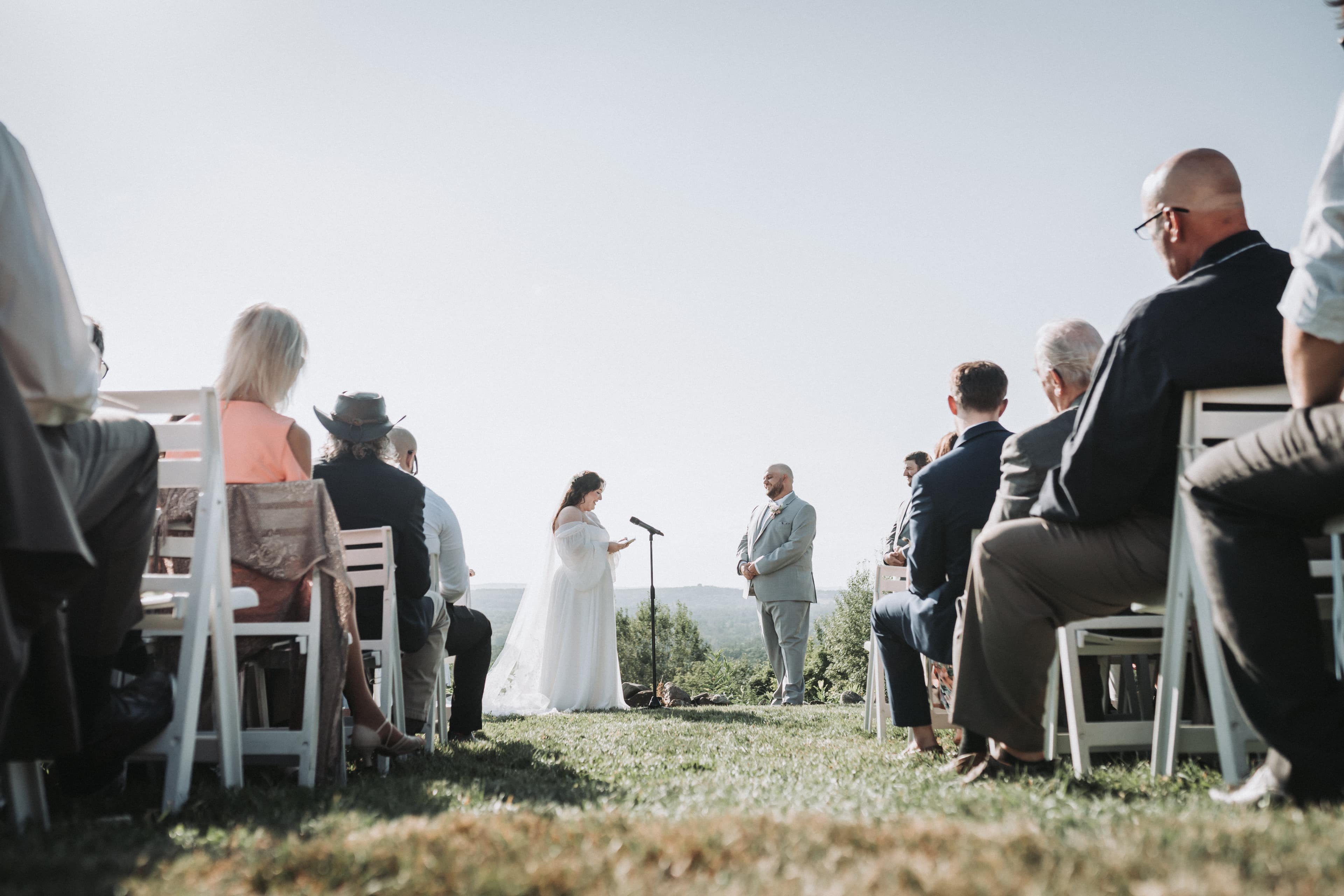
Yes, you can get a real wedding video from iPhone footage. Modern iPhones shoot clean 4K, and in good light the picture is not the weak point. What decides whether it works is three things most tips skip: who is holding each phone, what happens to the sound, and how the clips get off the phones without being quietly compressed along the way.
Most of what you will read about this is a list of shooting tips. Those matter, and we cover them below. But in our experience the footage that disappoints is rarely shot badly. It is shot fine, then texted to the couple, and arrives looking like a video of a video.
Our bias, stated up front
We sell a service built on exactly this: you and your people film on your own iPhones, send us the clips, and our editors cut them into a short wedding film. So we have a reason to tell you phone footage is good enough, and an equal reason to tell you where it is not, because a couple who expected a cinema camera and got a phone is not a happy couple. Everything below is what we actually tell the people filming for us.
What an iPhone does well, and what it does not
A recent iPhone handles bright daylight, getting-ready rooms with a window, and a well-lit reception with very little effort. It stabilizes handheld footage better than most people expect, and nobody at the wedding treats a phone as a camera, so people act naturally in front of it.
Where it struggles:
- Sound from a distance. A phone at the back of the ceremony hears the room, the wind and the guest next to it. It does not cleanly hear vows spoken thirty feet away. This is the single biggest gap between phone footage and professional footage, and it is a microphone problem, not a camera problem.
- Zoom. Pinching to zoom is a digital crop, and it gets soft and noisy fast. Tap the lens buttons (0.5x, 1x, 2x and up) instead, and walk closer when you can.
- A dark dance floor. Colored DJ lights and a dim room push any small sensor to its limit. Expect more grain here than anywhere else in the day.
- A whole day of battery and storage. One phone recording 4K from getting ready to the send-off will run out of one or the other, usually right before the toasts.
Give each phone a job
"Everyone film what you can" produces forty clips of the first kiss from the same angle and nothing of the toasts. Before the day, give two or three people a specific role:
- The wide shot. One phone on a small tripod at the back or side of the ceremony, horizontal, recording the whole thing without being touched. It is dull, and it is the most valuable clip of the day, because it is the one that never misses anything.
- The close filmer. Someone near the front who follows the two of you: the walk down the aisle, the ring exchange, the faces.
- The reaction filmer. Someone who turns around and films your guests watching. Editors are always short of these, and they are what make a short film feel full.
- The speeches. Whoever is closest to the person giving the toast, or near the DJ's speaker if the toast is on a microphone. Close beats clever here.
We wrote more on choosing who films in asking a friend to film your wedding, and on the difference between a planned filmer and footage from the crowd in guest-filmed wedding videos.
Settings, briefly
- Hold the phone horizontally, every time. A wedding film is wide.
- Record in 4K at 24 or 30 frames per second, and keep it the same across every phone if you can.
- Tap and hold on the subject to lock focus and exposure, so the picture does not pump when someone walks past.
- Wipe the lens. A pocket-smudged lens is the most common cause of hazy footage we see.
- Put the filming phones in airplane mode for the ceremony, so a call or a notification does not interrupt the recording.
- Roll longer than feels natural. Start before the moment and keep going after it. The seconds either side are what an editor cuts on.
These are the same rules on the printable filming guide we give to the people holding the phones, alongside a shot list for each part of the day.
Plan for battery and storage
4K video uses a lot of space. Rather than trust a number, have each filmer look at their free storage the night before and clear what they can: offload old videos, empty Recently Deleted. Charge every phone to full on the morning, and give each filmer a small battery pack. A phone that dies during the toasts cannot be fixed in the edit.
Sound: the part that decides whether it feels like a film
A phone microphone is fine for laughter, music and the room. For the words that matter, vows and toasts, you need the sound source close to the person speaking. The two practical ways to do that:
- A clip-on microphone on whoever is officiating or speaking, recording to its own device or to a phone. It is the difference between hearing every word and hearing wind.
- A phone left close to the speaker, for example on the lectern or near the DJ's speaker during the toasts, recording audio even if the picture is unusable. An editor can lay that sound under the better picture from another phone.
There is more on this, including why sound matters more than picture, in getting clear ceremony audio.
Getting the footage off the phones, without ruining it
This is the step almost nobody plans, and the one that does the most damage. The default way people share a video, sending it in a message, re-encodes it smaller to send it quickly. It still plays fine on a phone, so nobody notices until it is cut into a film and shown on a television.
Do not text, iMessage, WhatsApp or Instagram-DM the clips. Use one of these instead:
- AirDrop, iPhone to iPhone or Mac, which sends the original file.
- A cable to a computer, which is the slowest to set up and the most certain.
- Google Photos, with the backup set to Original quality rather than a space-saving option, then shared from there.
- Quick Share, for any filmer on an Android phone sending to another Android device.
Be careful with shared albums. Apple says the upgraded shared albums in iOS 27 support full-resolution sharing, and that items added to them count against the owner's iCloud storage. Unless you know everyone is using one of those albums, do not assume a shared album keeps the originals. For anything you want in a film, send the file itself.
Ask every filmer to send everything, not their favorites. The clip they think is boring is often the one that holds the edit together, and the only copy of a clip is the one on their phone. If you are collecting from a large crowd rather than a few chosen filmers, see collecting photos and videos from wedding guests.
Who edits it
A folder of phone clips is not a wedding video yet. The options are the same as for any self-filmed wedding: edit it yourselves, ask a friend who edits, or send it to an editor. We compared those in how to film your own wedding video.
If you send it to us, the service is called Your Phone, Our Edit. You film on your own iPhones, nothing is shipped or returned, and we send you:
- A 3 to 5 minute film, hand-edited by our studio, with the same editors, color and licensed music as our full commissions.
- Every raw clip back, in chronological order, so the full ceremony and toasts are yours too.
- A printable shot list and filming guide for the people holding the phones.
- An optional clip-on microphone rental, for clear vows and toasts.
If you would rather someone did not have to hold a phone at all, the same idea with real cameras is a DIY wedding video kit, or a professional videographer, which is what we do for most couples. Pricing for both is here.